
Best Budget Ergonomic Chairs for US Home Offices (2026)
Best Budget Ergonomic Chairs for US Home Offices (2026)
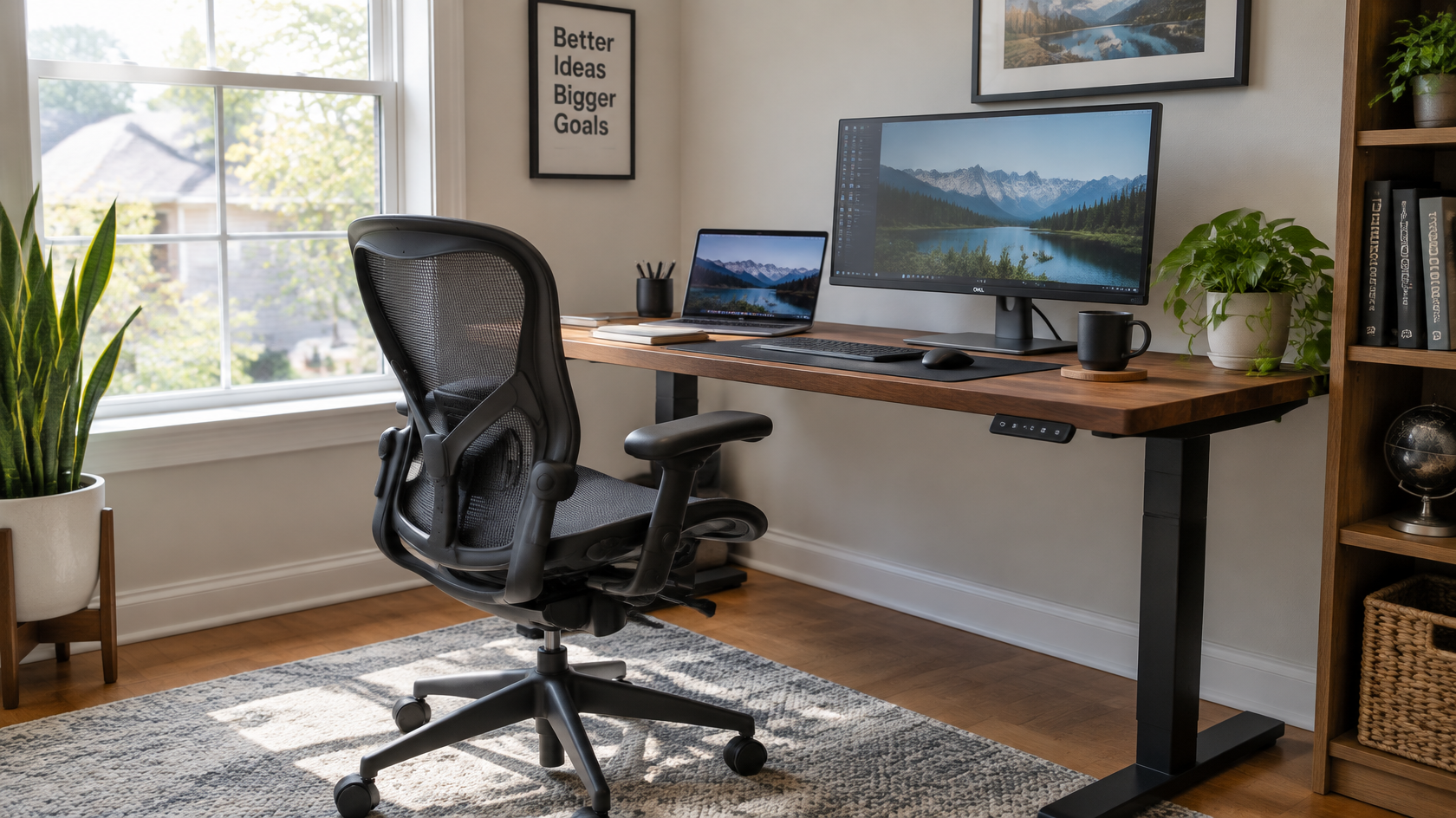
Working from home sounds comfortable until you spend eight hours sitting in an uncomfortable office chair. Whether you're a remote employee, freelancer, entrepreneur, or full-time home-based professional, choosing the right ergonomic chair can make a significant difference in your daily workspace experience.
The good news? You don't need to spend $1,000 on a premium office chair to get useful ergonomic features. Several affordable models offer adjustable lumbar support, breathable mesh materials, comfortable seating, and adjustable armrests.
In this guide, we'll explore some of the best budget ergonomic chairs for US home offices in 2026, their key features, and what to consider before purchasing.
Key Takeaways
Best budget all-rounder: SIHOO M57 Ergonomic Office Chair.
Best for smaller home offices: Staples Hyken Technical Mesh Task Chair.
Best for taller users: Staples Dexley Ergonomic Mesh Chair.
Best simple, durable option: IKEA MARKUS.
Best feature-focused alternative: Marsail Ergonomic Office Chair.
Prioritize adjustable lumbar support, seat height, and comfortable armrests.
Always check chair dimensions, weight capacity, and warranty before ordering.
1. SIHOO M57 Ergonomic Office Chair – Best Overall Value
The SIHOO M57 is a popular option for people looking for an affordable ergonomic office chair without sacrificing essential adjustments.
Its breathable mesh back helps promote airflow, making it an appealing choice for people who spend several hours working at a desk.
Key Features:
Adjustable lumbar support.
Breathable mesh backrest.
Adjustable 3D armrests.
Adjustable headrest.
Reclining backrest.
Five-point rolling base.
Why Choose It?
The biggest advantage of the SIHOO M57 is its combination of adjustable features. Its lumbar support can be adjusted in height and depth, helping users find a more suitable position for their lower back.
Potential Drawbacks:
Mesh seating may feel firm to some users.
Assembly takes some time.
Seat dimensions may not suit every body type.
Best For: Remote workers who want multiple ergonomic adjustments at a relatively affordable price.
2. Staples Hyken – Best for Small Home Offices
The Staples Hyken Technical Mesh Task Chair is another practical choice for people working in compact home office spaces.
Its smaller design makes it suitable for apartment workstations, bedroom offices, and desks with limited space.
Key Features:
Breathable mesh construction.
Adjustable seat height.
Lumbar support.
Adjustable tilt.
Integrated headrest.
Compact task-chair design.
Why Choose It?
The Hyken offers essential office-chair functionality without taking up too much room. Its mesh construction is also useful for people who prefer a more breathable seating surface.
However, its relatively compact seat dimensions may not work well for taller or larger users. Check the manufacturer's current measurements before purchasing.
Potential Drawbacks:
Compact seat dimensions.
Limited adjustment compared with higher-end ergonomic chairs.
May not provide the best fit for taller users.
Best For: Students, freelancers, and remote workers with smaller workstations.
3. Staples Dexley – Best for Taller Users
If you find standard office chairs too restrictive, the Staples Dexley deserves consideration.
Compared with smaller task chairs, the Dexley offers a more spacious seating design and a taller backrest.
Key Features:
Breathable mesh back.
Adjustable seat height.
Lumbar support.
Adjustable armrests.
Reclining functionality.
Spacious seating design.
Why Choose It?
The Dexley is worth considering if you need more room than a compact office chair provides.
Its larger design may offer a more comfortable fit for people with longer legs or broader frames. However, individual dimensions should always be checked before ordering.
Potential Drawbacks:
Requires more workspace.
May not suit shorter users.
Features and availability can vary by retailer.
Best For: Taller remote workers and people who prefer a roomier office chair.
4. IKEA MARKUS – Best Simple and Durable Option
The IKEA MARKUS is a long-standing option in the affordable office-chair category.
Unlike highly adjustable ergonomic chairs, MARKUS focuses on a relatively straightforward design with a tall backrest, built-in lumbar support, and a breathable mesh back.
Key Features:
Tall backrest.
Built-in lumbar support.
Mesh back for ventilation.
Adjustable seat height.
Tilt mechanism.
IKEA warranty coverage.
Why Choose It?
MARKUS is worth considering if you prefer a simple office chair rather than one with numerous adjustment controls.
IKEA also advertises a 10-year warranty for MARKUS in applicable markets, although buyers should review the current US warranty terms and exclusions.
Potential Drawbacks:
Lumbar support is not independently adjustable.
Limited armrest adjustment.
Its fixed design may not fit every body type.
Best For: People who prefer a straightforward office chair with fewer adjustment mechanisms.
5. Marsail Ergonomic Office Chair – Best Feature-Focused Alternative
Marsail offers several ergonomic office-chair models aimed at budget-conscious home office users.
Depending on the model, you can find adjustable lumbar support, mesh backrests, adjustable armrests, and reclining functionality.
Key Features:
Breathable mesh back.
Adjustable lumbar support on selected models.
Height-adjustable armrests.
Reclining backrest.
Adjustable seat height.
Multiple design options.
Why Choose It?
Marsail is worth comparing if you want several ergonomic features without moving into premium-priced office furniture.
Its different models offer different configurations, so carefully compare the specifications instead of assuming every Marsail chair includes identical adjustments.
Potential Drawbacks:
Model specifications vary.
Build quality and materials differ between versions.
Check the warranty and replacement-part availability.
Best For: Budget-conscious buyers looking for multiple adjustment features.
Budget Ergonomic Chair Comparison
Here is a quick comparison to help narrow down your options.
| Chair | Best For | Main Advantage |
|---|---|---|
| SIHOO M57 | Overall value | Adjustable lumbar support |
| Staples Hyken | Small spaces | Compact design |
| Staples Dexley | Taller users | Roomier seating |
| IKEA MARKUS | Simple setup | Tall backrest |
| Marsail | Feature selection | Multiple adjustment options |
Prices and availability change frequently across US retailers. Check the latest listings before making a purchase.
6. What to Look for in a Budget Ergonomic Chair
Before buying an office chair, understand which features actually matter for your workstation.
Adjustable Lumbar Support
Lumbar support helps support the natural inward curve of your lower back.
Look for a chair with adjustable lumbar support so you can position it appropriately for your body.
Seat Height Adjustment
Your feet should rest comfortably on the floor or a suitable footrest.
A chair with adjustable seat height makes it easier to align your body with your desk.
Adjustable Armrests
Armrests should support your forearms without forcing your shoulders upward.
Height-adjustable armrests are particularly useful for people who spend extended periods typing.
Breathable Materials
Mesh backrests allow airflow and can be preferable for people who dislike sitting against heavily padded materials.
A foam seat may offer a softer sitting experience, but personal preference matters.
Reclining and Tilt Adjustment
A reclining backrest allows you to change your sitting position throughout the workday.
Look for adjustable tilt tension and a locking mechanism if those features matter to your working style.
The Occupational Safety and Health Administration (OSHA) also recommends choosing a chair that supports the back, legs, and arms while allowing appropriate adjustments.
Source: https://www.osha.gov/etools/computer-workstations/components/chairs
7. How to Set Up Your Ergonomic Chair Correctly
Even a good office chair needs proper adjustment.
Follow these practical steps:
Adjust the seat height so your feet rest flat on the floor or a footrest.
Position the lumbar support against the natural curve of your lower back.
Keep your shoulders relaxed while using the keyboard.
Adjust the armrests to support your forearms comfortably.
Position your monitor in front of you at a comfortable viewing height.
Avoid remaining in exactly the same sitting position throughout the day.
OSHA recommends neutral working positions, with supported feet, relaxed shoulders, and appropriate back support. It also recommends changing positions and taking opportunities to stand and move.
Source: https://www.osha.gov/etools/computer-workstations/positions
8. Are Budget Ergonomic Chairs Worth Buying?
Yes, budget ergonomic chairs can be worthwhile when you choose a model that fits your body and workstation.
For many home office users, a chair in the lower or middle price range can provide useful features such as adjustable height, lumbar support, breathable materials, and reclining functionality.
However, cheaper chairs may involve compromises in adjustment range, material quality, mechanisms, and warranty coverage.
If you work from home every day, consider investing in the best-fitting chair your budget allows rather than choosing the cheapest available model.
Also, remember that an ergonomic chair is only one part of a comfortable workspace. Your desk height, monitor position, keyboard placement, and regular movement matter too.
Final Verdict: Which Budget Ergonomic Chair Should You Buy?
Choosing the best budget ergonomic chair depends on your body type, workspace, and personal preferences.
Choose the SIHOO M57 if you want a strong combination of ergonomic adjustments.
Choose the Staples Hyken if you have limited office space.
Choose the Staples Dexley if you need a roomier chair.
Choose the IKEA MARKUS if you prefer a simple design.
Choose Marsail if you want to compare several feature-focused budget options.
Remember to compare current prices, dimensions, return policies, and warranty coverage before ordering.
A comfortable home office starts with a chair that fits your body, supports your working position, and helps you stay comfortable throughout your workday.
Frequently Asked Questions (FAQs)
1. What is the best budget ergonomic chair for a home office?
The SIHOO M57 is a strong option for buyers looking for adjustable lumbar support, a breathable mesh back, and adjustable armrests.
2. Are mesh office chairs better than padded chairs?
Mesh chairs generally offer better airflow, while padded chairs may provide a softer sitting experience. The best choice depends on your comfort preferences and working environment.
3. How much should I spend on an ergonomic office chair?
Many budget-conscious buyers can start comparing options around $100–$300. Focus on fit, adjustability, and warranty rather than price alone.
4. Is lumbar support important in an office chair?
Yes. Appropriate lumbar support helps support the natural curve of your lower back and contributes to a more comfortable sitting position.
5. How long should I sit in an ergonomic office chair?
There is no single ideal sitting duration. Change positions regularly, stand up periodically, and incorporate movement throughout your workday.
Conclusion
Finding the best budget ergonomic chair for your US home office doesn't have to be complicated. Start by identifying your seating requirements, comparing essential ergonomic features, and checking the dimensions of each model.
A well-fitted chair can make your workspace more comfortable and practical without requiring a premium furniture budget.


No comments